123flightMAP logo 123flightMAPMSFS 2020/2024 FLIGHT DECK COMPANION
EN
View release status
Closed beta applications closed

The essential pilot companionfor Microsoft Flight Simulator2020 & 2024

MSFS gives you the world. 123flightMAP gives you the situation: traffic, ATC, ATIS, weather, route, ILS frequencies, SID/STAR procedures, holding guidance and friends in one sim-connected operating picture that flies with you - whether you fly IFR online, VFR, or just for the view.

Applications are now closed. Our invited pilots are completing the closed beta; one short public open beta will follow before the commercial launch.

123flightMAP · LIVE FLIGHT PICTURE
BETA BUILD
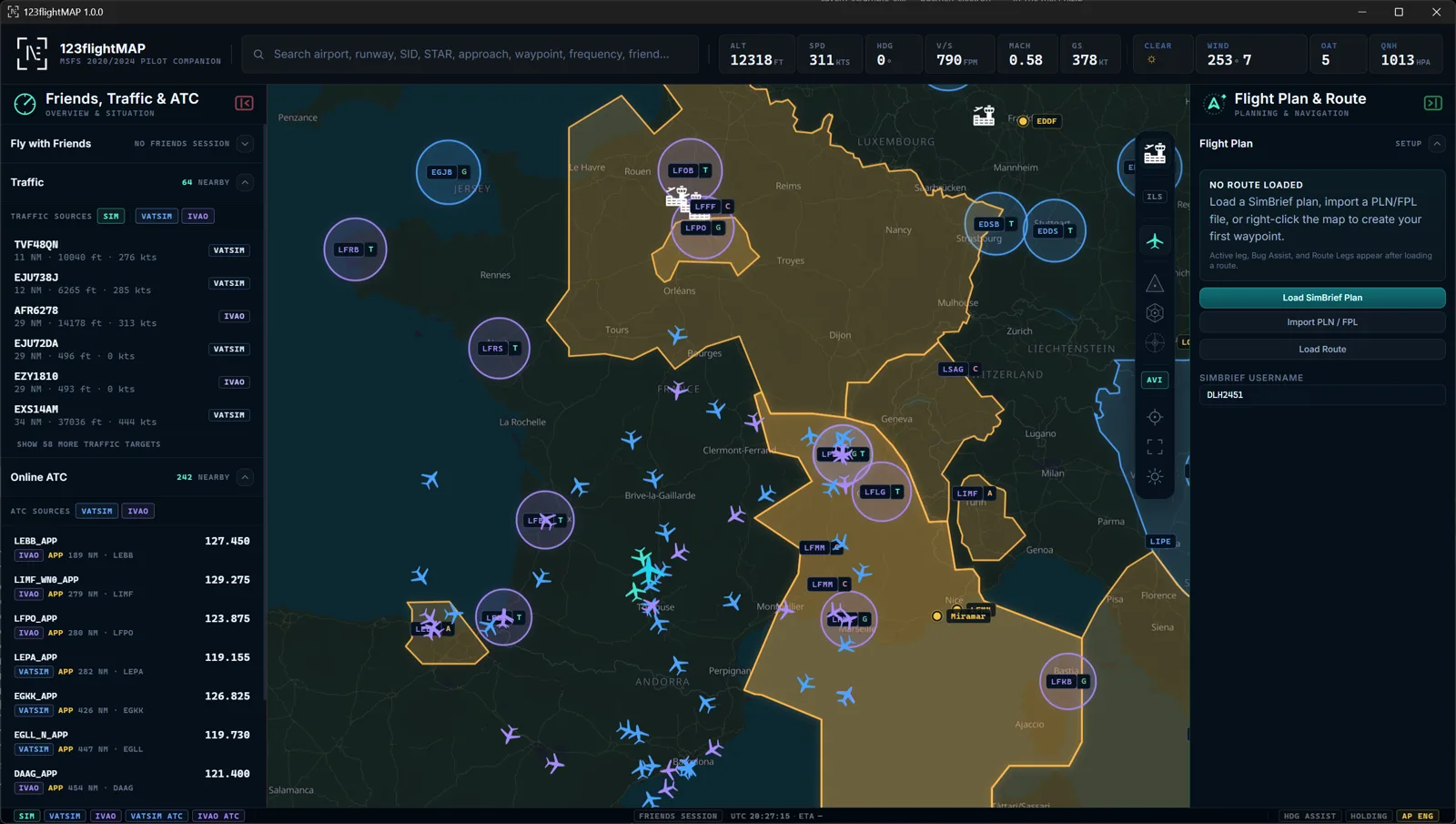
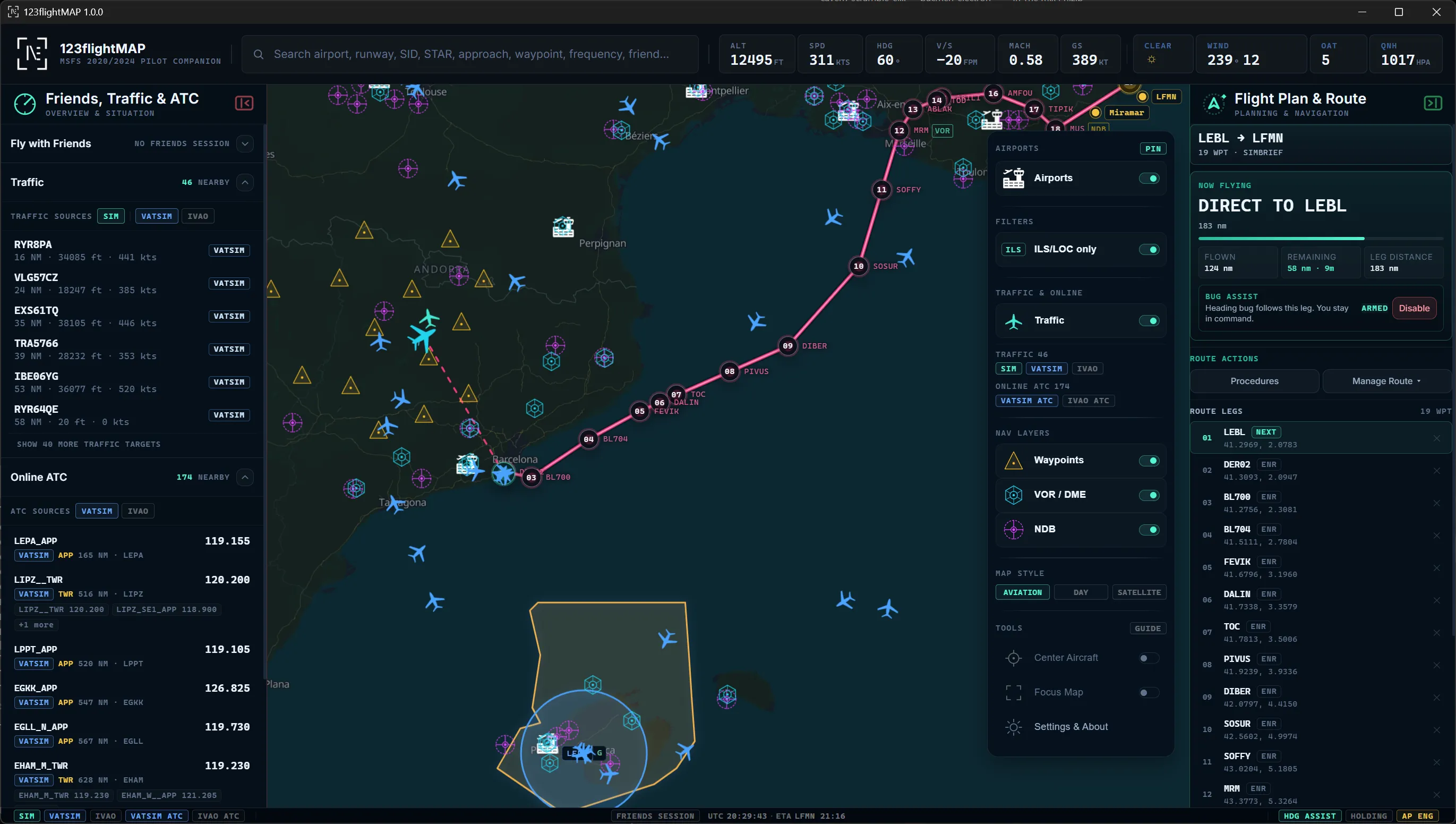
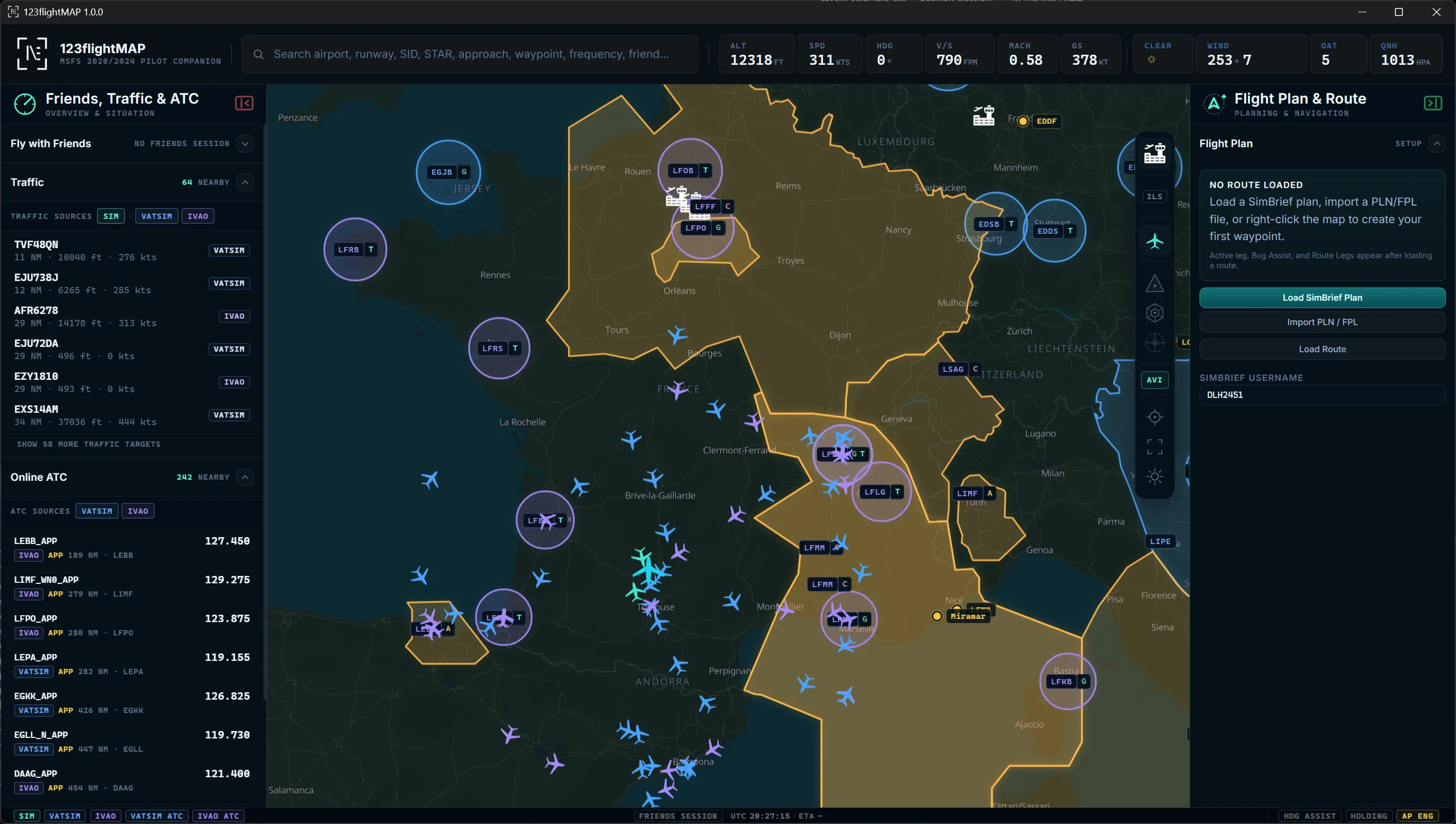
123flightMAP online map with VATSIM/IVAO traffic, ATC coverage and controller frequencies
Online ATC
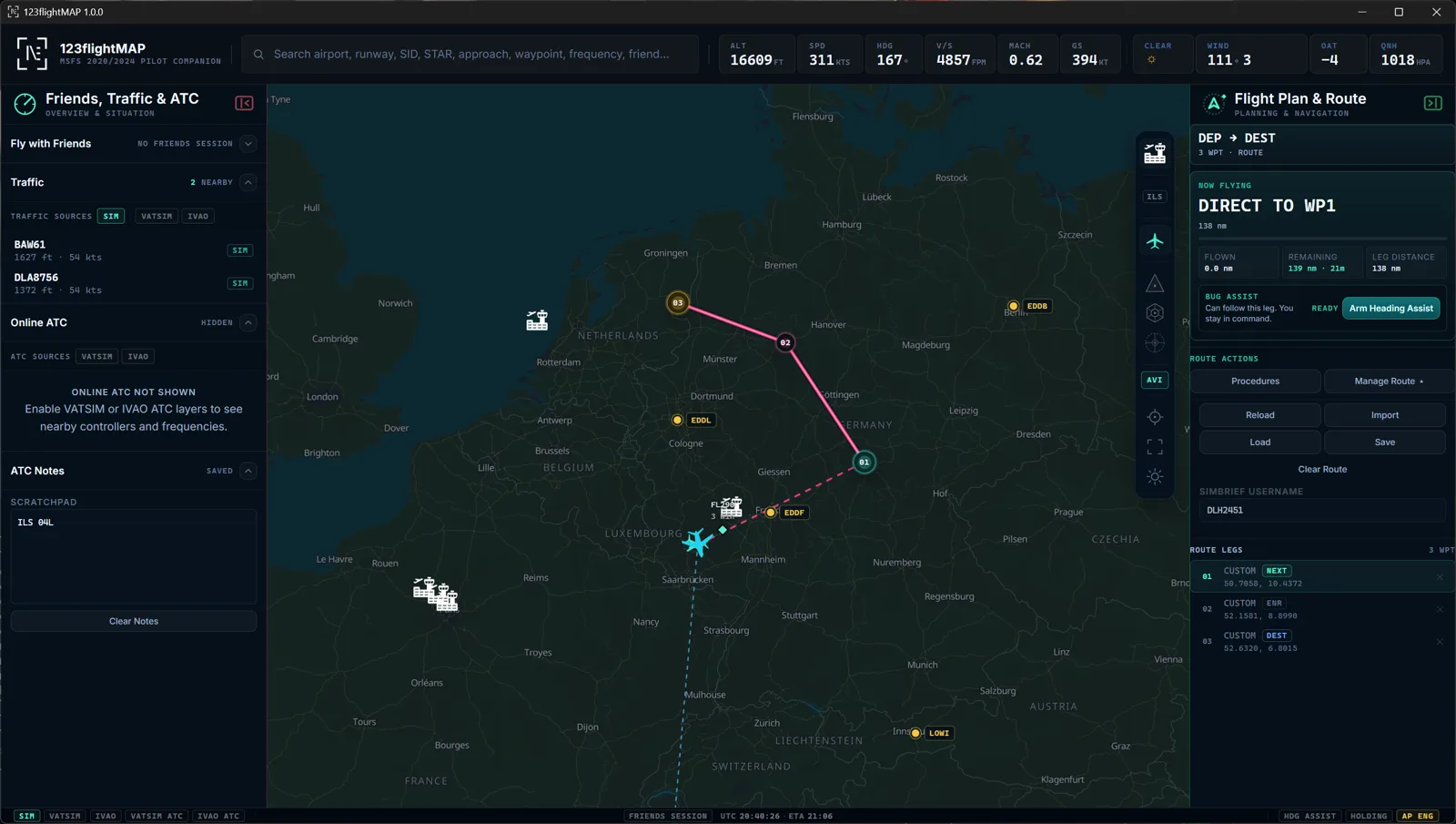
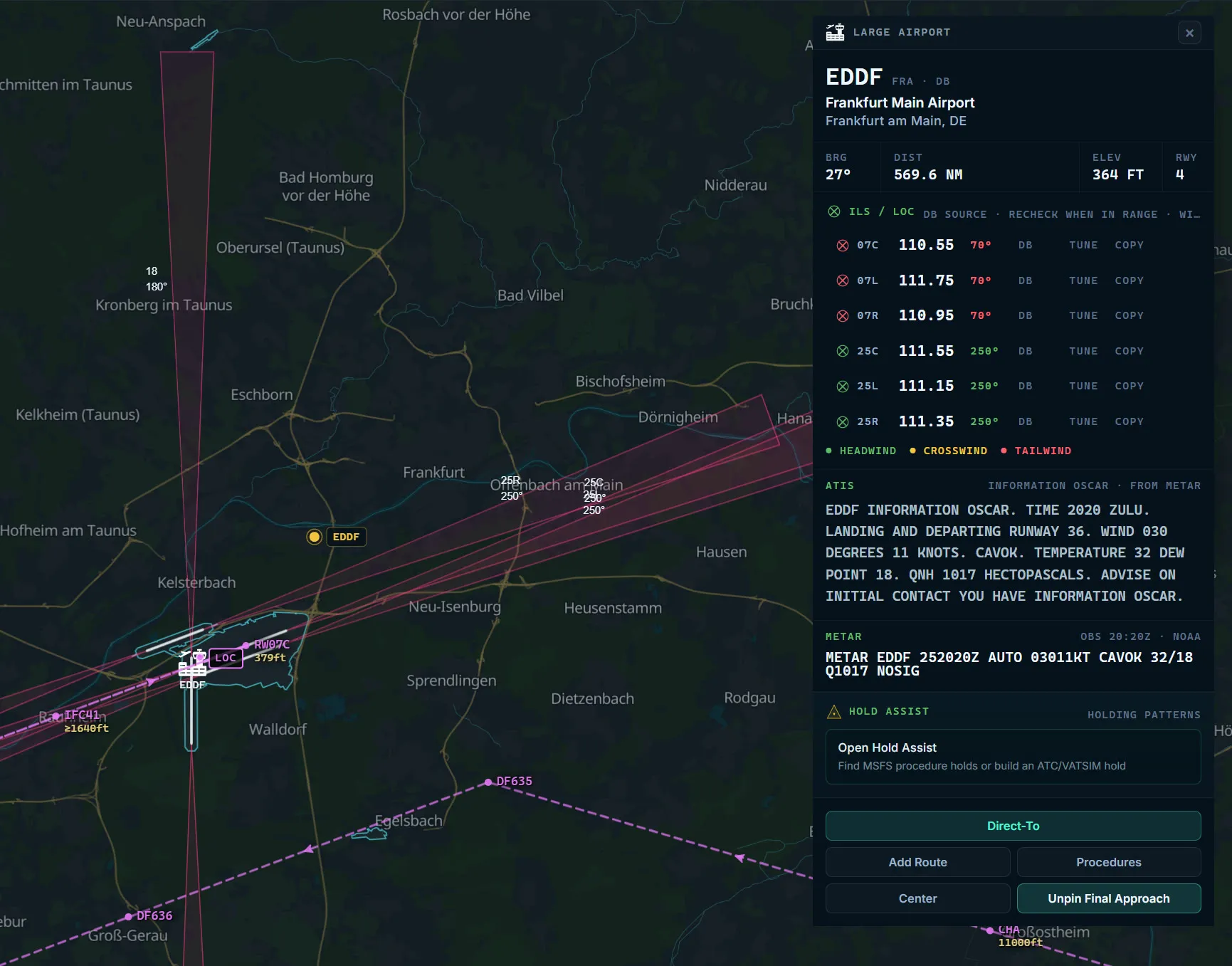
123flightMAP aviation map with route, traffic, online ATC and airport card
Aviation map
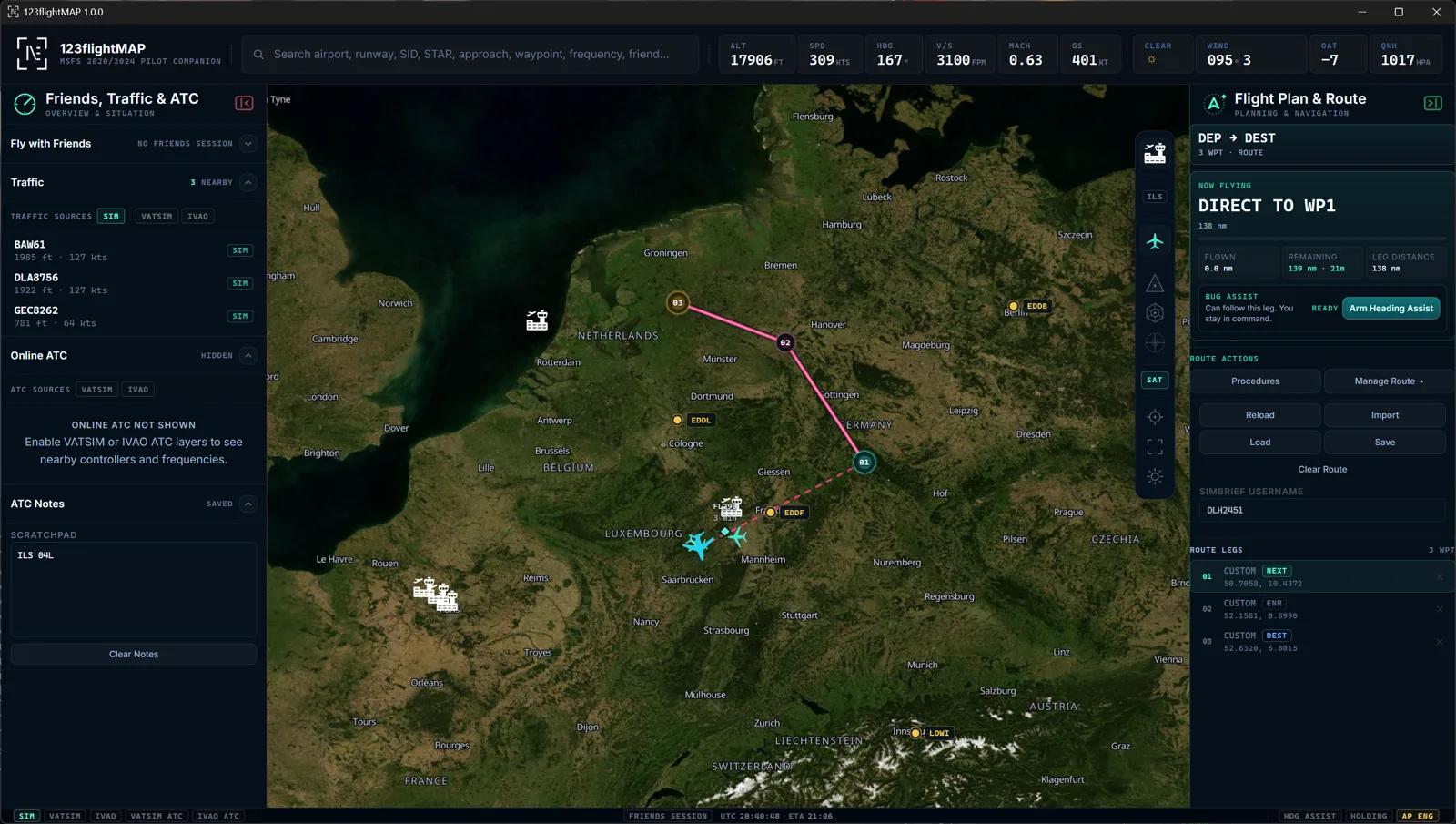
123flightMAP satellite map with route, online traffic and route panel
Satellite view
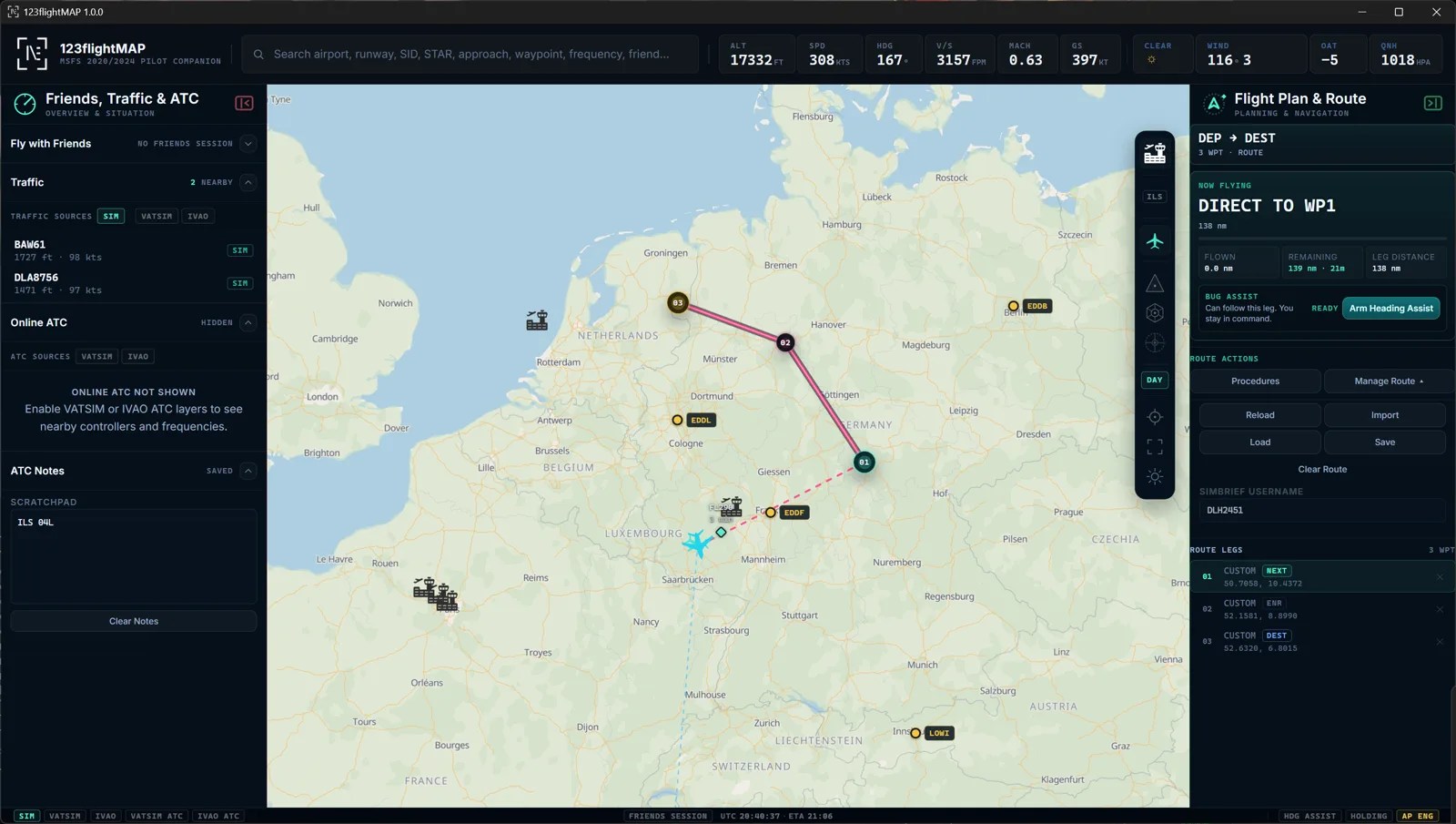
123flightMAP day map with route, traffic and airport layers
Day map
SEE Live map, traffic and ATC context
UNDERSTAND Route, airport, ILS, procedures
ACT Tune radios, share routes, fly together
SIM CONNECTED VATSIM + IVAO 0 BROWSER TABS
MSFS 2020 / 2024 VATSIM / IVAO SimBrief SimConnect workflow Built by 123myapp

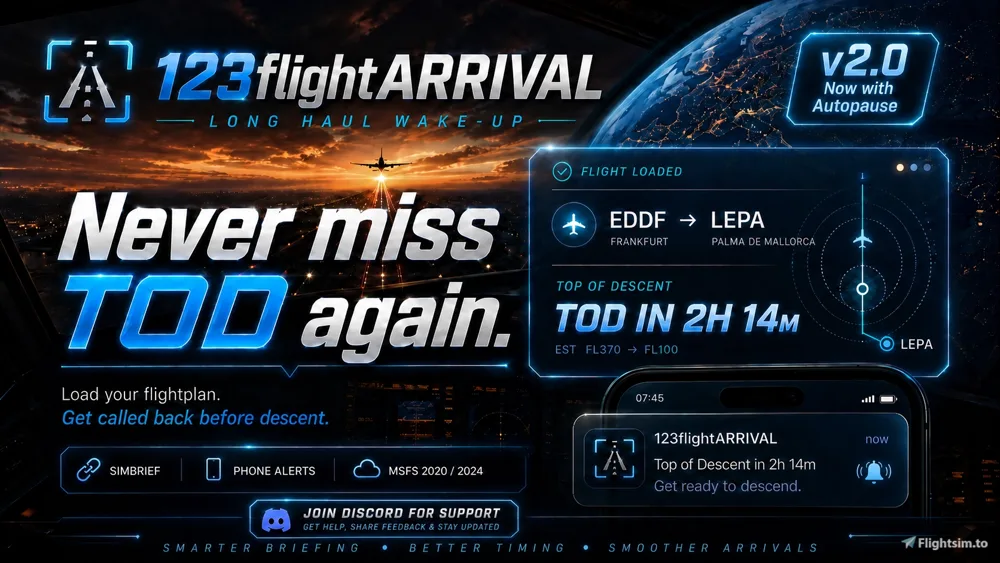
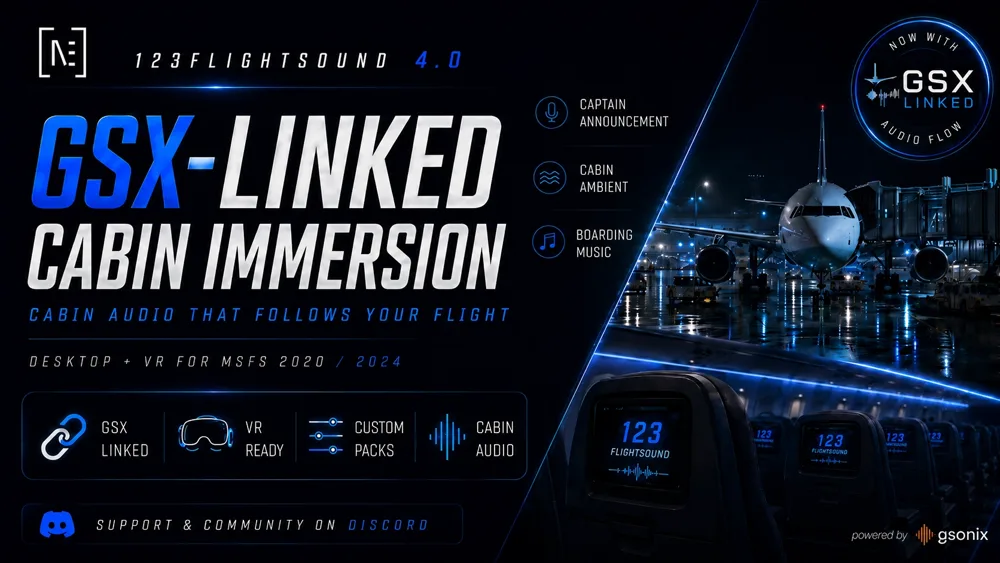
From the creators of 123flightSOUND and 123flightARRIVAL.

Built around real flight moments

One companion for the way you actually fly.

Route flights, online ATC, VFR exploring or group sessions - the same live picture stays with the flight.

Route & approach clarity

Understand where you are, what comes next and what matters at the airport before workload rises.

  • Live aircraft, route and active-leg awareness from SimConnect.
  • Airports, runways, ILS/LOC, navaids and METAR in one context.
  • SimBrief, PLN/FPL and procedures drawn directly on the map.
  • Distance, ETE/ETA, level-off prediction and heading/hold assists.

Online confidence

See the online situation in context instead of hunting through separate maps, lists and tabs.

  • Traffic and staffed ATC shown in the same operating picture.
  • Delivery, Ground, Tower, Approach and Center visible per airport.
  • Live network ATIS in the airport card, including the information letter.
  • Tune NAV and COM frequencies directly into the simulator.

Fly with friends

Turn the map into a simple meeting point for private group flights.

  • Private session with a simple invite code.
  • Friends live on the map with follow and position context.
  • Shared markers and shared routes for group flying.
  • Explore, practice and arrive together without platform noise.
The cockpit workload problem

Scattered flight data should not run your cockpit.

Maps, METAR, SimBrief, ATC lists, procedures, friends and frequencies are usually split across tools. 123flightMAP turns them into one sim-connected operating picture.

ATC confidence When ATC says it, search it.

Runway, ILS, waypoint, procedure, airport, controller callsign or frequency: find it, see it in context and tune what matters.

Scattered tools
With 123flightMAP
123flightMAP live flight picture with route, traffic, ATC and flight plan panels One sim-connected operating picture
Why it feels different

Live. Contextual. Ready to act.

123flightMAP is built around the simulator moment: see what matters, understand it in context and keep flying.

01 Connected to your sim

Live aircraft, route, weather, traffic and online ATC stay together in one flight picture.

02 Context where it matters

Runways, ILS, SID/STAR, ATIS, METAR and procedures sit next to airport and route context.

03 Act without tab chaos

Tune frequencies, load SimBrief, follow friends, share markers and keep flying.

The core product idea

See. Understand. Act.

The value is not another map. It is the moment when flight data becomes usable: hear the instruction, search the named thing, see it in context and act without leaving the cockpit flow.

01 ATIS in airport context

Read the network ATIS with the correct information letter directly where you need it: in the airport card. Offline, use derived METAR context.

02 Tune what you see

Send an ILS, VOR or controller frequency straight into the aircraft. Right-click to copy instead.

03 Online traffic & ATC context

Search controllers, frequencies, airports, runways, ILS, waypoints and procedures when ATC mentions them.

04 Procedures on the moving map

SID, STAR and approaches drawn from your simulator’s own navdata, with altitude and speed constraints.

05 SimBrief without the hunt

Enter your SimBrief username and bring the OFP route onto the map. PLN/FPL import is supported too.

06 Private group flying

Create a session, send a code, see each other and share markers or full routes on the same map.

01 · See

ATC stops feeling like a memory test.

When a controller mentions a runway, ILS, waypoint, procedure, callsign or frequency, search it. 123flightMAP puts it into the same live picture as your aircraft, route, airport and radios.

  • Search airports, runways, ILS/LOC, waypoints, procedures, controller callsigns and frequencies.
  • See the named thing on the map with airport, route and ATC context.
  • Tune or copy frequencies, then keep flying with the context in view.
Fly Online product shot
The operating pictureTraffic, ATC coverage and airport context in one view.
02 · Understand

The approach stops being a surprise.

The route alone is not enough. You need active leg, distance, airport picture, weather, runway, ILS and procedure context before the workload spikes.

  • SimBrief and imported plans drawn cleanly on the map.
  • Airport card with METAR, runways, ILS/LOC and navaids.
  • SID, STAR and approach overlays where they actually help.
Fly Clear product shot
Approach contextRoute, active leg, destination, ILS and procedure overlay.
03 · Act

The map becomes the thing you fly with.

Tune the frequency you just found, mark a place, share a route, follow a friend or set up an approach. The screen is not just informational. It supports the next action.

  • One-click NAV/COM tuning from cards and popups.
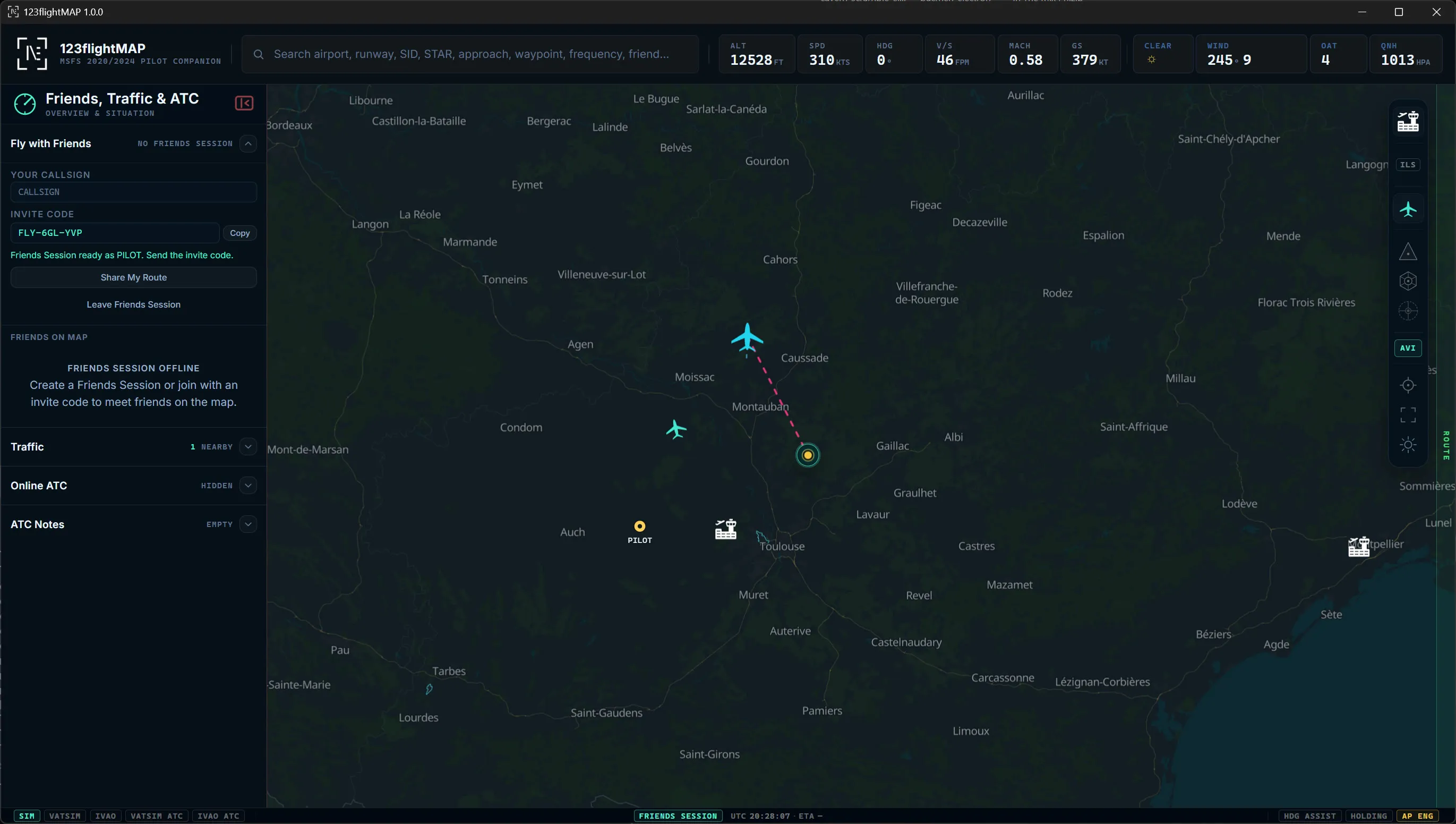
  • Private sessions with friends live on the same map.
  • Shared routes and markers for group flights.
Fly Together product shot
Flying as a groupFriends, shared route and shared marker on one map.
What changes in flight

Four questions the app should answer fast.

01Where am I in the flight?

Live aircraft, active leg, route progress and the next useful waypoint.

02What matters at the airport?

Runways, ILS/LOC, METAR, ATIS, navaids and procedure context in one card.

03Which frequency should I use?

Find the relevant frequency and tune it directly instead of typing and tabbing.

04How do we fly together?

Create a private session, share a marker or route and keep the group on one picture.

From the same cockpit bench

Part of the 123flight companion family.

123flightMAP follows the same idea as 123flightSOUND and 123flightARRIVAL: focused Windows companion apps that solve real cockpit moments for Microsoft Flight Simulator pilots.

Release status

From closed beta to public launch.

Our invited pilots are completing the closed beta while we turn their feedback into the release candidate. Applications are now closed. Once the release candidate is ready, we'll run one short public open beta before the commercial launch.

NEXT: PUBLIC OPEN BETANo application or manual selection. Exact dates and access details will appear here once the release candidate has passed its release gates.
The road to release
  1. Closed BetaApplications are closed; every promise to existing beta pilots remains valid.
  2. Release CandidateAcceptance testing, corrections, review and hardening.
  3. Open BetaOne short public test window before the launch.
  4. Public LaunchCommercial release after final validation.
Good to know

Questions, answered.

Which simulators does it work with?

Microsoft Flight Simulator 2020 and 2024 on Windows PC. It connects to the running sim via SimConnect and is designed around standard MSFS workflows.

Does it work on Xbox?

No. It is a Windows companion app that runs on your PC next to the simulator. MSFS on Xbox can’t run external companion apps.

How does it connect to my sim - and will it slow it down?

It reads live data from the simulator via SimConnect and runs as a separate lightweight window. It is designed as a second-screen companion, not an in-sim graphics add-on.

Do I need a second monitor?

No, but it shines on one. Use a second screen or just alt-tab to it. The picture keeps updating live in the background.

VATSIM, IVAO, or both?

It can show traffic and staffed ATC from VATSIM and IVAO in the same operating picture, with airport staffing and frequency context.

Do I have to fly online?

No. It is just as good offline and for VFR. The map, live weather, airports, runways, navaids and procedures all work without any network.

Does it include official approach charts?

Official IFR PDF plates stay official and are not bundled. 123flightMAP brings simulator SID, STAR and approach data into live map overlays, with route, airport, ILS and weather context. It is for flight simulation only, not real-world navigation.

Where do the procedures (SID, STAR, approach) come from?

From your simulator’s own navigation data. They are drawn directly on the map with altitude and speed constraints, so the arrival becomes spatial instead of a text list.

How does the live ATIS work?

When you fly online it shows the network ATIS with the correct information letter in the airport card. Offline, it derives a readable ATIS from the live METAR.

Can it tune my radios for me?

Yes. Click an ILS, VOR or controller frequency and it is sent into the aircraft radio workflow. Right-click copies instead.

Can I load my SimBrief plan or a PLN/FPL file?

Yes. Enter your SimBrief username to pull your OFP route onto the map in one click, or import a PLN/FPL file directly.

How does “Fly with Friends” work?

Create a private session and share a simple invite code. Friends appear live on the same map and you can share markers or a whole route - no network membership and no extra accounts needed.

Where does the weather come from?

Live METAR (from NOAA), shown in the airport card and used to derive the offline ATIS.

Is it a subscription - and what does it cost?

The core app is planned as a one-time purchase of approx. 25 Euro for the public launch.

Can I still apply for the closed beta?

No. Closed-beta applications are closed and no more seats are awarded. Everything already promised to existing registrations and invited pilots remains valid. Once the release candidate is ready, one short public open beta will follow before the commercial launch - no application or manual selection.

What does it access on my PC?

It reads live data from your running simulator and fetches public network and weather data from the internet. Friends sessions use a temporary invite code - nothing more than it needs to draw your flight picture.

Who makes it?

123myapp - an independent creator of focused companion apps for Microsoft Flight Simulator. It is part of the same family as 123flightSOUND and 123flightARRIVAL.

Is this an EFB or chart app?

No. It is an MSFS Pilot Companion. Official charts stay separate; 123flightMAP focuses on live simulator context, online ATC, frequencies, procedures, route awareness and friends in one operating picture.